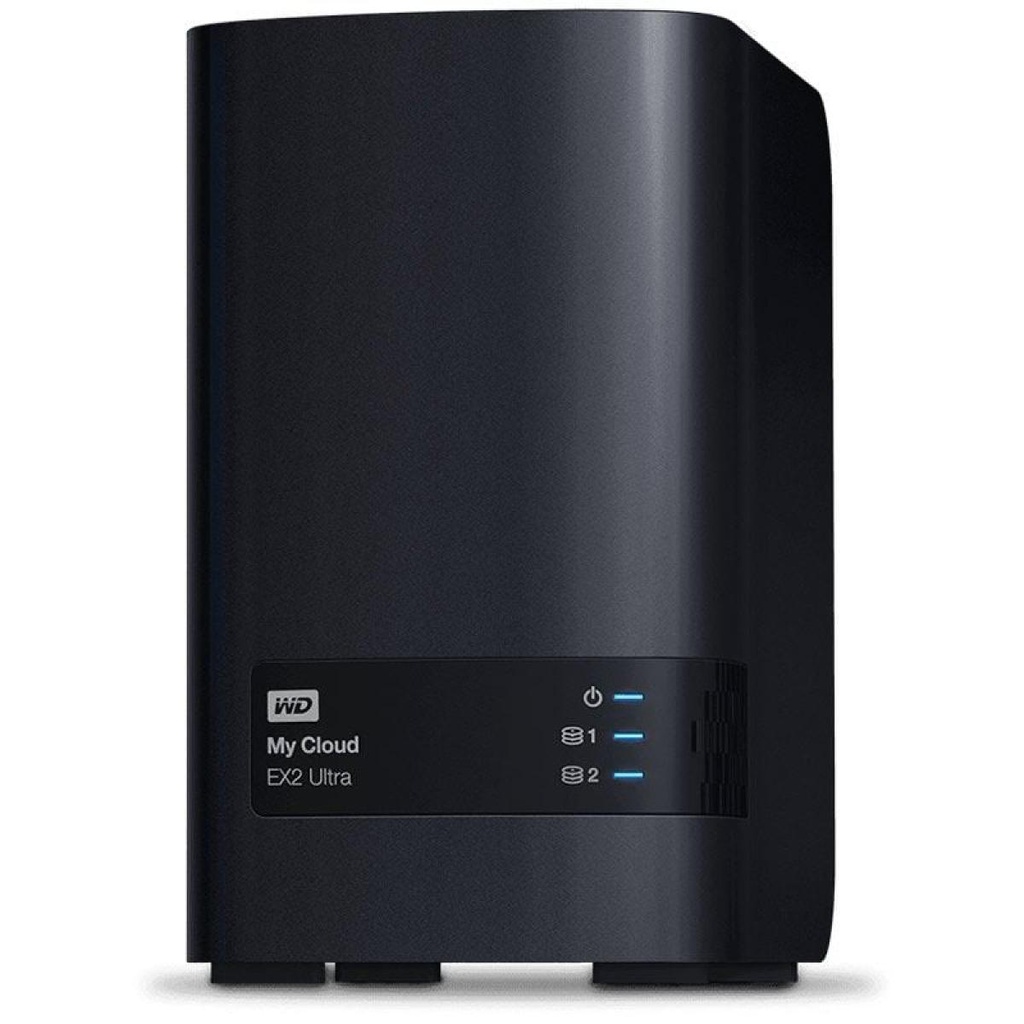
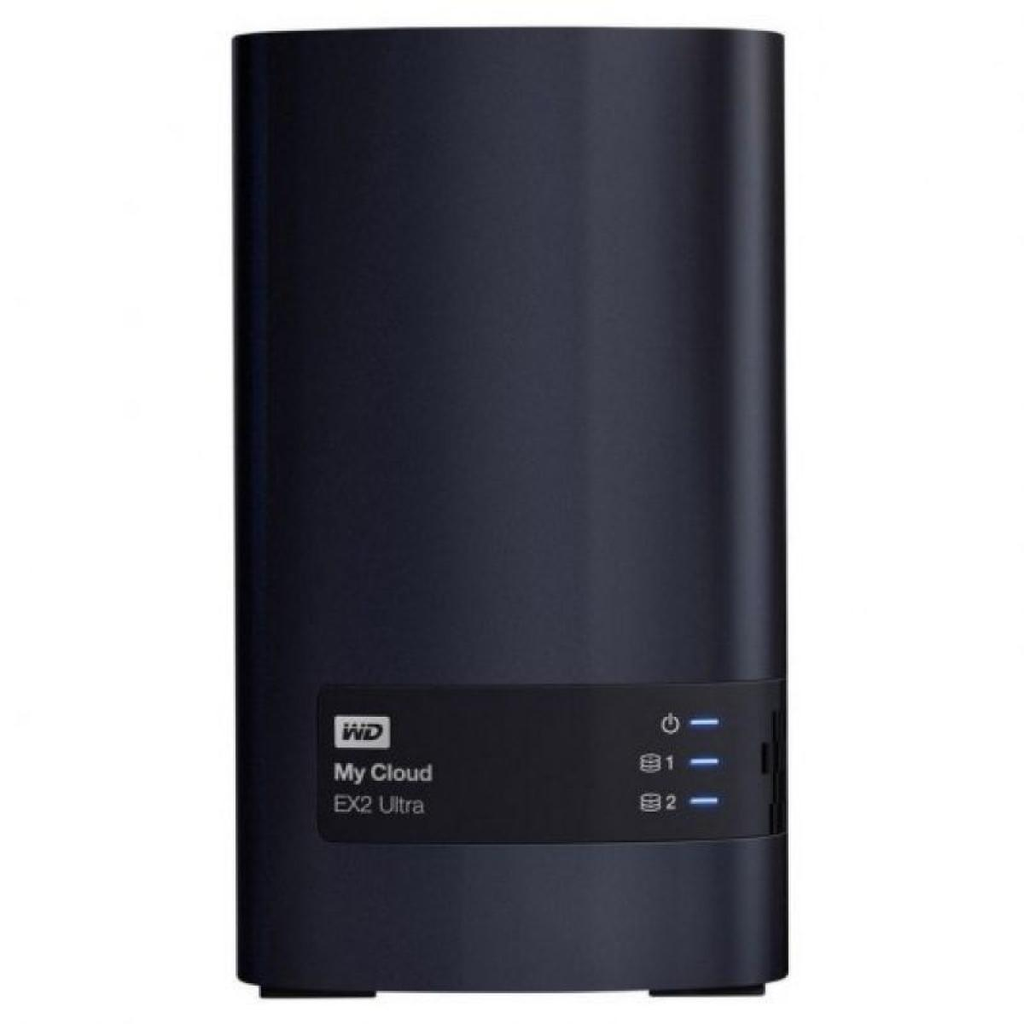
HIGH-PERFORMANCE STORAGE TO SAVE, STREAM AND SHARE FROM ANYWHERE
Keep your media safe in one place with this high-performance Network Attached Storage (NAS) device, and access and stream securely from anywhere with an Internet connection.
Centralized network backups
Access from anywhere
Save, access, and stream your content anywhere you have an Internet connection with the My Cloud OS 5 mobile app or MyCloud.com web access.
Easy to set up and use
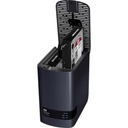
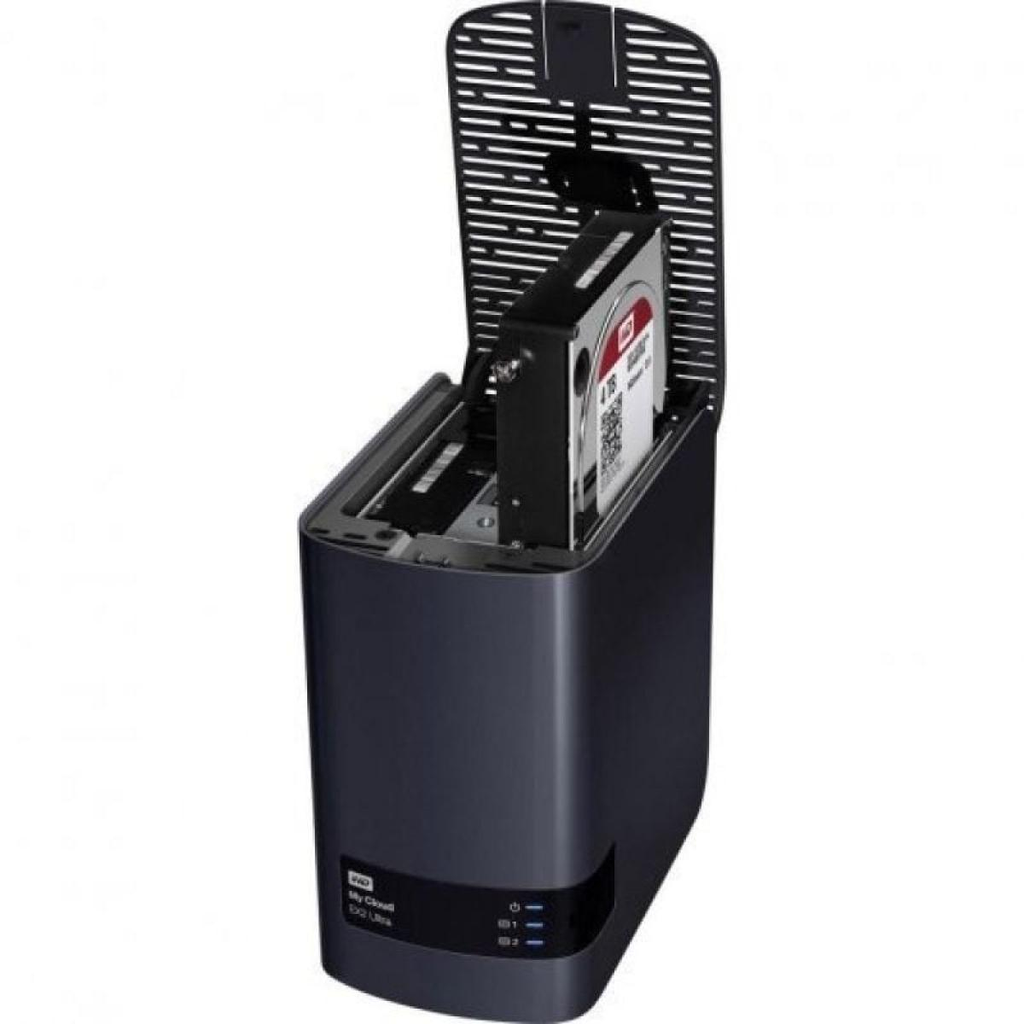
My Cloud EX2 Ultra is quickly detected and installed over the network and from the Internet, so the setup process is simple and intuitive. Plus, you can easily add or replace hard drives in no time at all thanks to tool-free, trayless bays.
Strong data protection
Available Acronis True Image for Western Digital software offers simple, effective and secure cyber protection by integrating award-winning backup with an AI-based defense against ransomware and cryptojacking attacks. Acronis True Image for Western Digital software backs up everything from operating systems and applications to individual files and settings on both Windows and Mac.
My Cloud OS 5
My Cloud OS 5 offers the latest security updates, improved data privacy, superior connectivity reliability, and an up-to-date mobile and web app experience, as well as enhanced photo and video viewing and sharing capabilities. Use the mobile or web app to remotely access and share the files, photos, and videos you store on your My Cloud NAS system from anywhere you have an Internet connection. More information
Designed for smooth transmission
Upgraded with the powerful 1.3GHz dual-core Marvell ARMADA 385 processor, you'll get blazing-fast transfer speeds and high-performance streaming. It also includes 1 GB of DDR3 memory, so you can multitask with ease. The Plex Content Server keeps all your photos, videos, and music neatly organized and ready to stream to your computer, mobile device, game console, or other compatible media player.
Simplified file and folder sharing
Easily customize the way you share with private or public links. With a public link, you can share your content in a way that anyone can see it. By using a private link, you can allow limited or full access and collaborate securely with anyone.
volume encryption
Various RAID options
With My Cloud EX2 Ultra's RAID settings, you'll be able to customize your system with the configuration that's best for you. It uses RAID 0 for best performance, RAID 1 to have a mirror of the data or JBOD, and concatenation for other non-RAID configurations.
Compatible with applications from other companies
My Cloud EX2 Ultra is compatible with a full range of popular apps for a more personalized experience. You can use applications like Plex, Dropbox or WordPress, among others, to customize your NAS and adjust it to your needs.
Connection
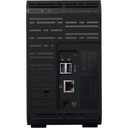
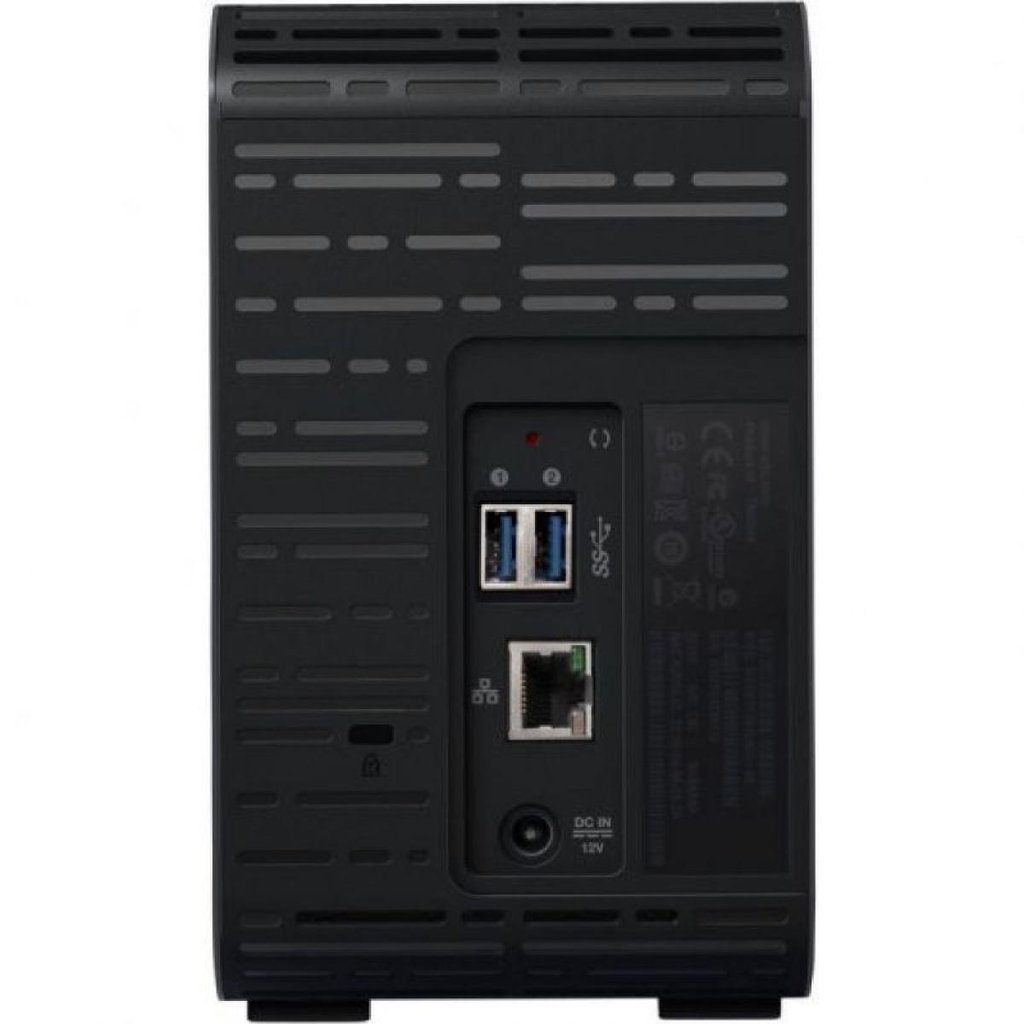
- gigabit ethernet
- One power supply (DC input)
- Two rear USB 3.0 expansion ports
CPU
- Marvell® ARMADA® 385 Dual Core 1.3GHz
Memory
- 1GB of DDR3
Disc compartments
- 2 x 3.5-inch hard drive bays, hot swappable, trayless design
internal hard drives
- Hard drives for NAS WD Red
expansion ports
- 2 USB 3.0 ports
System Requirements
- Windows 10, Windows 8 or Windows 7 operating systems
- Mac OS X El Capitan, Yosemite, Mavericks, Mountain Lion, or Lion operating systems
- DLNA/UPnP devices for streaming
- Internet-connected router
Supported Internet Browsers
- Internet Explorer 10 or later
- Safari 6 or later
- Firefox 30 or later
- Google Chrome 31 or later on supported Windows and Mac platforms
network protocols
- DHCP client or static IP
- ntp client
- Dynamic DNS (DDNS)
- Apple Bonjour and Windows Rally
- Support for jumbo frames up to 9K
- VLANs (802.1Q)
- Link aggregation and failover on the 2 Gigabit Ethernet ports
- UPnP Port Forwarding
- Link Layer Topology Discovery Protocol
- iSCSI
- SSH
network file services
- Supported operating systems
- Windows XP Home/ Pro/ 64-bit SP3+
- Windows Vista/ 7/ 8 (all versions)
- Mac OS X 10.6, Lion, Mountain Lion
- CIFS/SMB for Windows, Mac OS X, and Linux
- Distributed File System (DFS) Linux
- AFP for Mac OS X
- FTP/SFTP server
- WebDAV server
- Compatible with Microsoft Active Directory
Backup management
- Remote backups: My Cloud Expert Series to local or remote My Cloud Expert Series
- Backups internal device files or folders to other files or folders on the NAS or connected USB drive
- WD SmartWare Pro for Windows client devices
- Compatible with Apple Time Machine (10.5.8+)
- Cloud-based backup services
- Amazon S3
- Elephant Drive (http://home.elephantdrive.com/)
- Disk synchronization management for connected USB ports
Disk Management
- RAID modes: JBOD; concatenation; RAID 0/1
- RAID Migrations
- JBOD to RAID 1
- Hot swapping of disks
- disk roaming
- matrix roaming
Security
- Volume encryption (256-bit AES)
File System
- EXT4 for internal hard drives
- Supports the following formats on externally connected USB drives
- FAT/FAT32
- NTFS (read and write capability)
- HFS+J (case sensitive)
- Linux EXT2, EXT3, EXT4
- Compatible with mounting ISO Image
ftp server
- Port configuration support
- Passive FTP port range support
- Option to assign an external IP in passive mode
- Language selection for the client computer
- anonymous ftp
- Secure FTP support
- Supports File Exchange Protocol (FXP)
- FTP bandwidth restriction (upload/download)
- IP address blocking (blocks access from an unwanted IP address)
Download management
- HTTP downloads from a URL to a specific folder on the NAS
- FTP downloads of files and folders from an FTP server to other files and folders on the NAS
- P2P Download Server Manager
Energy management
- Drive acceleration and deceleration (includes WD drives connected directly via USB)
- Automatic power recovery (with UPS)
- Scheduled power on and off
- Automatic shutdown with low battery of the UPS
- fan control
- network UPS
- Activation by LAN
Remote access
- My Cloud Mobile App
- Web access on MyCloud.com
User/group management
- Maximum number of users: 512 for Samba, 800 for ADS
- Maximum number of user groups: 64 for Samba, 200 for ADS
- Maximum number of network shares: Maximum number of network shares: 128
- Maximum concurrent CIFS connections: 10
- User/Group Mapping for Network Shares/FTP
- Quotas for groups or users
- Assigning users to multiple groups
- Assigning batches of users to groups
- Batch user creation
- User import (CSV delimited format)
- Group import (CSV delimited format)
system management
- System Status: Device Information
- External storage capacity usage
- Used capacity divided by categories (video, photos and music)
- alert notification
- Event messages in the UI
- UI alerts (with read required message)
- email notifications
- Quick view of messages using popup windows
- Red status LED
- network trash
- Support Windows CIFS
- Supports Apple AFP
- Syslog/FTP (syslog client)
- HTTP/S (web) management interface (HTTP server)
- firmware update
- Configuration Backup and Restore
- SNMPv2
- System information
- CPU usage percentage
- RAM consumption
- Network throughput in MB/s
multimedia content transmission
- PLEX media application
- UPnP audio and video media server (Twonky)
- DLNA certified
- Compatible with WD TV, WD TV Live, Xbox 360, PlayStation 3, Windows 8, connected TVs, Blu-ray players and digital photo frames
- iTunes server
iSCSI
- iSCSI target
- CHAP authentication
- iSNS (Internet Storage Name Service)
- Up to 64 iSCSI targets
- Volume virtualization
- Virtual disks (via iSCSI initiator)
- The maximum number of virtual disks is eight (8)
Power supply
- Input voltage: 100 V to 240 V AC
- Input frequency: 50 to 60 Hz
- Output voltage: 12 V DC, up to 4A
Temperature
- Operating temperature: 0 °C to 35 °C (32 °F to 95 °F)
- Non-operating temperature -40°C to 70°C (-40°F to 158°F)
Package content
- NAS device
- Ethernet cable
- Power supply
- Quick Installation Guide


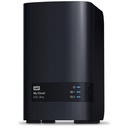
Western Digital My Cloud EX2 Ultra NAS/ 2 Bays 3.5"/ 1GB DDR3/ Tower Format
HIGH-PERFORMANCE STORAGE TO SAVE, STREAM AND SHARE FROM ANYWHERE
Keep your media safe in one place with this high-performance Network Attached Storage (NAS) device, and access and stream securely from anywhere with an Internet connection.
Centralized network backups
Access from anywhere
Save, access, and stream your content anywhere you have an Internet connection with the My Cloud OS 5 mobile app or MyCloud.com web access.
Easy to set up and use
My Cloud EX2 Ultra is quickly detected and installed over the network and from the Internet, so the setup process is simple and intuitive. Plus, you can easily add or replace hard drives in no time at all thanks to tool-free, trayless bays.
Strong data protection
Available Acronis True Image for Western Digital software offers simple, effective and secure cyber protection by integrating award-winning backup with an AI-based defense against ransomware and cryptojacking attacks. Acronis True Image for Western Digital software backs up everything from operating systems and applications to individual files and settings on both Windows and Mac.
My Cloud OS 5
My Cloud OS 5 offers the latest security updates, improved data privacy, superior connectivity reliability, and an up-to-date mobile and web app experience, as well as enhanced photo and video viewing and sharing capabilities. Use the mobile or web app to remotely access and share the files, photos, and videos you store on your My Cloud NAS system from anywhere you have an Internet connection. More information
Designed for smooth transmission
Upgraded with the powerful 1.3GHz dual-core Marvell ARMADA 385 processor, you'll get blazing-fast transfer speeds and high-performance streaming. It also includes 1 GB of DDR3 memory, so you can multitask with ease. The Plex Content Server keeps all your photos, videos, and music neatly organized and ready to stream to your computer, mobile device, game console, or other compatible media player.
Simplified file and folder sharing
Easily customize the way you share with private or public links. With a public link, you can share your content in a way that anyone can see it. By using a private link, you can allow limited or full access and collaborate securely with anyone.
volume encryption
Various RAID options
With My Cloud EX2 Ultra's RAID settings, you'll be able to customize your system with the configuration that's best for you. It uses RAID 0 for best performance, RAID 1 to have a mirror of the data or JBOD, and concatenation for other non-RAID configurations.
Compatible with applications from other companies
My Cloud EX2 Ultra is compatible with a full range of popular apps for a more personalized experience. You can use applications like Plex, Dropbox or WordPress, among others, to customize your NAS and adjust it to your needs.
Connection
- gigabit ethernet
- One power supply (DC input)
- Two rear USB 3.0 expansion ports
CPU
- Marvell® ARMADA® 385 Dual Core 1.3GHz
Memory
- 1GB of DDR3
Disc compartments
- 2 x 3.5-inch hard drive bays, hot swappable, trayless design
internal hard drives
- Hard drives for NAS WD Red
expansion ports
- 2 USB 3.0 ports
System Requirements
- Windows 10, Windows 8 or Windows 7 operating systems
- Mac OS X El Capitan, Yosemite, Mavericks, Mountain Lion, or Lion operating systems
- DLNA/UPnP devices for streaming
- Internet-connected router
Supported Internet Browsers
- Internet Explorer 10 or later
- Safari 6 or later
- Firefox 30 or later
- Google Chrome 31 or later on supported Windows and Mac platforms
network protocols
- DHCP client or static IP
- ntp client
- Dynamic DNS (DDNS)
- Apple Bonjour and Windows Rally
- Support for jumbo frames up to 9K
- VLANs (802.1Q)
- Link aggregation and failover on the 2 Gigabit Ethernet ports
- UPnP Port Forwarding
- Link Layer Topology Discovery Protocol
- iSCSI
- SSH
network file services
- Supported operating systems
- Windows XP Home/ Pro/ 64-bit SP3+
- Windows Vista/ 7/ 8 (all versions)
- Mac OS X 10.6, Lion, Mountain Lion
- CIFS/SMB for Windows, Mac OS X, and Linux
- Distributed File System (DFS) Linux
- AFP for Mac OS X
- FTP/SFTP server
- WebDAV server
- Compatible with Microsoft Active Directory
Backup management
- Remote backups: My Cloud Expert Series to local or remote My Cloud Expert Series
- Backups internal device files or folders to other files or folders on the NAS or connected USB drive
- WD SmartWare Pro for Windows client devices
- Compatible with Apple Time Machine (10.5.8+)
- Cloud-based backup services
- Amazon S3
- Elephant Drive (http://home.elephantdrive.com/)
- Disk synchronization management for connected USB ports
Disk Management
- RAID modes: JBOD; concatenation; RAID 0/1
- RAID Migrations
- JBOD to RAID 1
- Hot swapping of disks
- disk roaming
- matrix roaming
Security
- Volume encryption (256-bit AES)
File System
- EXT4 for internal hard drives
- Supports the following formats on externally connected USB drives
- FAT/FAT32
- NTFS (read and write capability)
- HFS+J (case sensitive)
- Linux EXT2, EXT3, EXT4
- Compatible with mounting ISO Image
ftp server
- Port configuration support
- Passive FTP port range support
- Option to assign an external IP in passive mode
- Language selection for the client computer
- anonymous ftp
- Secure FTP support
- Supports File Exchange Protocol (FXP)
- FTP bandwidth restriction (upload/download)
- IP address blocking (blocks access from an unwanted IP address)
Download management
- HTTP downloads from a URL to a specific folder on the NAS
- FTP downloads of files and folders from an FTP server to other files and folders on the NAS
- P2P Download Server Manager
Energy management
- Drive acceleration and deceleration (includes WD drives connected directly via USB)
- Automatic power recovery (with UPS)
- Scheduled power on and off
- Automatic shutdown with low battery of the UPS
- fan control
- network UPS
- Activation by LAN
Remote access
- My Cloud Mobile App
- Web access on MyCloud.com
User/group management
- Maximum number of users: 512 for Samba, 800 for ADS
- Maximum number of user groups: 64 for Samba, 200 for ADS
- Maximum number of network shares: Maximum number of network shares: 128
- Maximum concurrent CIFS connections: 10
- User/Group Mapping for Network Shares/FTP
- Quotas for groups or users
- Assigning users to multiple groups
- Assigning batches of users to groups
- Batch user creation
- User import (CSV delimited format)
- Group import (CSV delimited format)
system management
- System Status: Device Information
- External storage capacity usage
- Used capacity divided by categories (video, photos and music)
- alert notification
- Event messages in the UI
- UI alerts (with read required message)
- email notifications
- Quick view of messages using popup windows
- Red status LED
- network trash
- Support Windows CIFS
- Supports Apple AFP
- Syslog/FTP (syslog client)
- HTTP/S (web) management interface (HTTP server)
- firmware update
- Configuration Backup and Restore
- SNMPv2
- System information
- CPU usage percentage
- RAM consumption
- Network throughput in MB/s
multimedia content transmission
- PLEX media application
- UPnP audio and video media server (Twonky)
- DLNA certified
- Compatible with WD TV, WD TV Live, Xbox 360, PlayStation 3, Windows 8, connected TVs, Blu-ray players and digital photo frames
- iTunes server
iSCSI
- iSCSI target
- CHAP authentication
- iSNS (Internet Storage Name Service)
- Up to 64 iSCSI targets
- Volume virtualization
- Virtual disks (via iSCSI initiator)
- The maximum number of virtual disks is eight (8)
Power supply
- Input voltage: 100 V to 240 V AC
- Input frequency: 50 to 60 Hz
- Output voltage: 12 V DC, up to 4A
Temperature
- Operating temperature: 0 °C to 35 °C (32 °F to 95 °F)
- Non-operating temperature -40°C to 70°C (-40°F to 158°F)
Package content
- NAS device
- Ethernet cable
- Power supply
- Quick Installation Guide
HIGH-PERFORMANCE STORAGE TO SAVE, STREAM AND SHARE FROM ANYWHERE
Keep your media safe in one place with this high-performance Network Attached Storage (NAS) device, and access and stream securely from anywhere with an Internet connection.
Centralized network backups
Access from anywhere
Save, access, and stream your content anywhere you have an Internet connection with the My Cloud OS 5 mobile app or MyCloud.com web access.
Easy to set up and use
My Cloud EX2 Ultra is quickly detected and installed over the network and from the Internet, so the setup process is simple and intuitive. Plus, you can easily add or replace hard drives in no time at all thanks to tool-free, trayless bays.
Strong data protection
Available Acronis True Image for Western Digital software offers simple, effective and secure cyber protection by integrating award-winning backup with an AI-based defense against ransomware and cryptojacking attacks. Acronis True Image for Western Digital software backs up everything from operating systems and applications to individual files and settings on both Windows and Mac.
My Cloud OS 5
My Cloud OS 5 offers the latest security updates, improved data privacy, superior connectivity reliability, and an up-to-date mobile and web app experience, as well as enhanced photo and video viewing and sharing capabilities. Use the mobile or web app to remotely access and share the files, photos, and videos you store on your My Cloud NAS system from anywhere you have an Internet connection. More information
Designed for smooth transmission
Upgraded with the powerful 1.3GHz dual-core Marvell ARMADA 385 processor, you'll get blazing-fast transfer speeds and high-performance streaming. It also includes 1 GB of DDR3 memory, so you can multitask with ease. The Plex Content Server keeps all your photos, videos, and music neatly organized and ready to stream to your computer, mobile device, game console, or other compatible media player.
Simplified file and folder sharing
Easily customize the way you share with private or public links. With a public link, you can share your content in a way that anyone can see it. By using a private link, you can allow limited or full access and collaborate securely with anyone.
volume encryption
Various RAID options
With My Cloud EX2 Ultra's RAID settings, you'll be able to customize your system with the configuration that's best for you. It uses RAID 0 for best performance, RAID 1 to have a mirror of the data or JBOD, and concatenation for other non-RAID configurations.
Compatible with applications from other companies
My Cloud EX2 Ultra is compatible with a full range of popular apps for a more personalized experience. You can use applications like Plex, Dropbox or WordPress, among others, to customize your NAS and adjust it to your needs.
Connection
- gigabit ethernet
- One power supply (DC input)
- Two rear USB 3.0 expansion ports
CPU
- Marvell® ARMADA® 385 Dual Core 1.3GHz
Memory
- 1GB of DDR3
Disc compartments
- 2 x 3.5-inch hard drive bays, hot swappable, trayless design
internal hard drives
- Hard drives for NAS WD Red
expansion ports
- 2 USB 3.0 ports
System Requirements
- Windows 10, Windows 8 or Windows 7 operating systems
- Mac OS X El Capitan, Yosemite, Mavericks, Mountain Lion, or Lion operating systems
- DLNA/UPnP devices for streaming
- Internet-connected router
Supported Internet Browsers
- Internet Explorer 10 or later
- Safari 6 or later
- Firefox 30 or later
- Google Chrome 31 or later on supported Windows and Mac platforms
network protocols
- DHCP client or static IP
- ntp client
- Dynamic DNS (DDNS)
- Apple Bonjour and Windows Rally
- Support for jumbo frames up to 9K
- VLANs (802.1Q)
- Link aggregation and failover on the 2 Gigabit Ethernet ports
- UPnP Port Forwarding
- Link Layer Topology Discovery Protocol
- iSCSI
- SSH
network file services
- Supported operating systems
- Windows XP Home/ Pro/ 64-bit SP3+
- Windows Vista/ 7/ 8 (all versions)
- Mac OS X 10.6, Lion, Mountain Lion
- CIFS/SMB for Windows, Mac OS X, and Linux
- Distributed File System (DFS) Linux
- AFP for Mac OS X
- FTP/SFTP server
- WebDAV server
- Compatible with Microsoft Active Directory
Backup management
- Remote backups: My Cloud Expert Series to local or remote My Cloud Expert Series
- Backups internal device files or folders to other files or folders on the NAS or connected USB drive
- WD SmartWare Pro for Windows client devices
- Compatible with Apple Time Machine (10.5.8+)
- Cloud-based backup services
- Amazon S3
- Elephant Drive (http://home.elephantdrive.com/)
- Disk synchronization management for connected USB ports
Disk Management
- RAID modes: JBOD; concatenation; RAID 0/1
- RAID Migrations
- JBOD to RAID 1
- Hot swapping of disks
- disk roaming
- matrix roaming
Security
- Volume encryption (256-bit AES)
File System
- EXT4 for internal hard drives
- Supports the following formats on externally connected USB drives
- FAT/FAT32
- NTFS (read and write capability)
- HFS+J (case sensitive)
- Linux EXT2, EXT3, EXT4
- Compatible with mounting ISO Image
ftp server
- Port configuration support
- Passive FTP port range support
- Option to assign an external IP in passive mode
- Language selection for the client computer
- anonymous ftp
- Secure FTP support
- Supports File Exchange Protocol (FXP)
- FTP bandwidth restriction (upload/download)
- IP address blocking (blocks access from an unwanted IP address)
Download management
- HTTP downloads from a URL to a specific folder on the NAS
- FTP downloads of files and folders from an FTP server to other files and folders on the NAS
- P2P Download Server Manager
Energy management
- Drive acceleration and deceleration (includes WD drives connected directly via USB)
- Automatic power recovery (with UPS)
- Scheduled power on and off
- Automatic shutdown with low battery of the UPS
- fan control
- network UPS
- Activation by LAN
Remote access
- My Cloud Mobile App
- Web access on MyCloud.com
User/group management
- Maximum number of users: 512 for Samba, 800 for ADS
- Maximum number of user groups: 64 for Samba, 200 for ADS
- Maximum number of network shares: Maximum number of network shares: 128
- Maximum concurrent CIFS connections: 10
- User/Group Mapping for Network Shares/FTP
- Quotas for groups or users
- Assigning users to multiple groups
- Assigning batches of users to groups
- Batch user creation
- User import (CSV delimited format)
- Group import (CSV delimited format)
system management
- System Status: Device Information
- External storage capacity usage
- Used capacity divided by categories (video, photos and music)
- alert notification
- Event messages in the UI
- UI alerts (with read required message)
- email notifications
- Quick view of messages using popup windows
- Red status LED
- network trash
- Support Windows CIFS
- Supports Apple AFP
- Syslog/FTP (syslog client)
- HTTP/S (web) management interface (HTTP server)
- firmware update
- Configuration Backup and Restore
- SNMPv2
- System information
- CPU usage percentage
- RAM consumption
- Network throughput in MB/s
multimedia content transmission
- PLEX media application
- UPnP audio and video media server (Twonky)
- DLNA certified
- Compatible with WD TV, WD TV Live, Xbox 360, PlayStation 3, Windows 8, connected TVs, Blu-ray players and digital photo frames
- iTunes server
iSCSI
- iSCSI target
- CHAP authentication
- iSNS (Internet Storage Name Service)
- Up to 64 iSCSI targets
- Volume virtualization
- Virtual disks (via iSCSI initiator)
- The maximum number of virtual disks is eight (8)
Power supply
- Input voltage: 100 V to 240 V AC
- Input frequency: 50 to 60 Hz
- Output voltage: 12 V DC, up to 4A
Temperature
- Operating temperature: 0 °C to 35 °C (32 °F to 95 °F)
- Non-operating temperature -40°C to 70°C (-40°F to 158°F)
Package content
- NAS device
- Ethernet cable
- Power supply
- Quick Installation Guide
Specifications
| Información general | |
|---|---|
| Product status | New |
| Diseño y dimensiones | |
|---|---|
| Color | Black |
| Dimensions | 236,0 x 272,0 x 154,0 mm |
| Weight | 500 g |
| Hardware y rendimiento | |
|---|---|
| Storage | 1 GB |
| Conectividad y redes | |
|---|---|
| USB connection | USB 3.0 |
| Batería y carga | |
|---|---|
| Charging connector | USB |
| Others | |
|---|---|